5 Surprising Details About the Moza KS Pro That Actually Matter Details About the Moza KS Pro That Actually Matter
OC Racing
January 29th, 2026
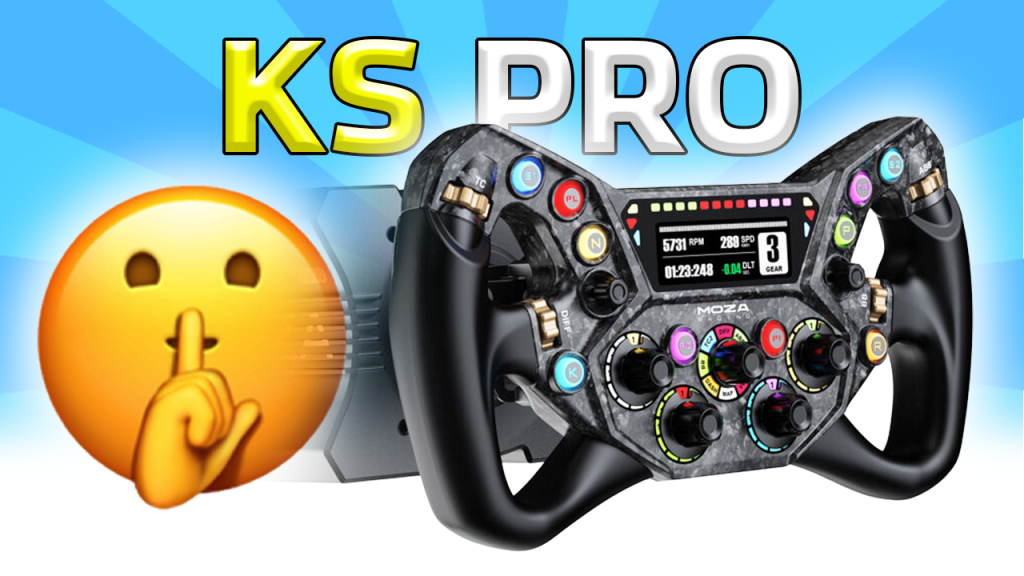
The Moza KS Pro sits in a very specific lane. It is a modern formula-style rim with a built-in screen, aggressive lighting, and enough buttons and encoders to make it feel like a proper “do everything” wheel for most modern sims. At $330, it is also priced in that danger zone where expectations are high, because for not much more money you start bumping into wheels with more premium materials, and for not much less money you start comparing it to the older KS and other mainstream options.
After spending time with it, the overall impression is pretty straightforward. It is loaded with features, it looks sharp, and it clearly targets sim racers who care about presentation and convenience as much as pure driving. If you want my full take on how it feels on track, how the shifters compare to other popular wheels, and what the compromises are, I have a full review article on the site that goes deeper than this quick breakdown.
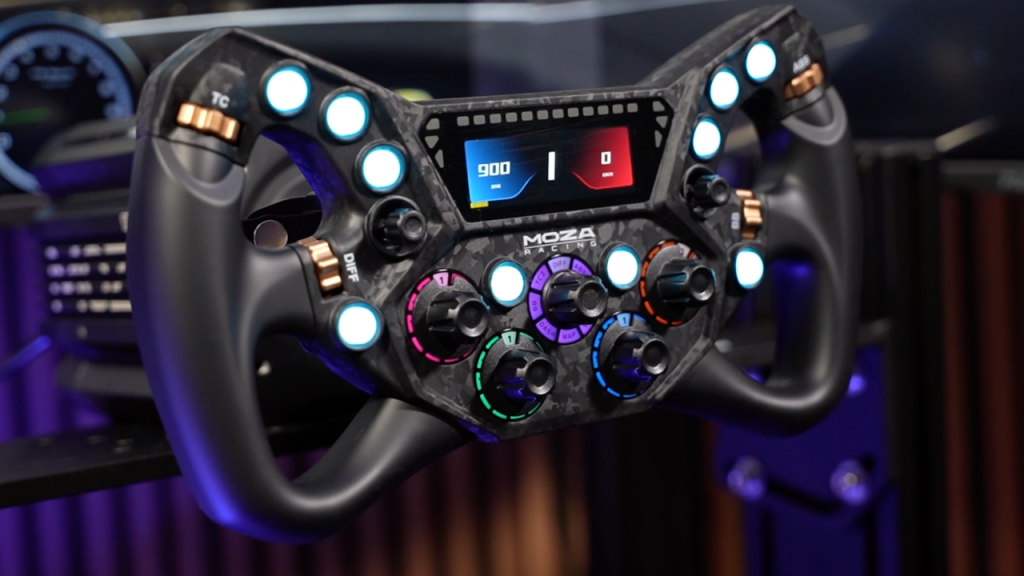
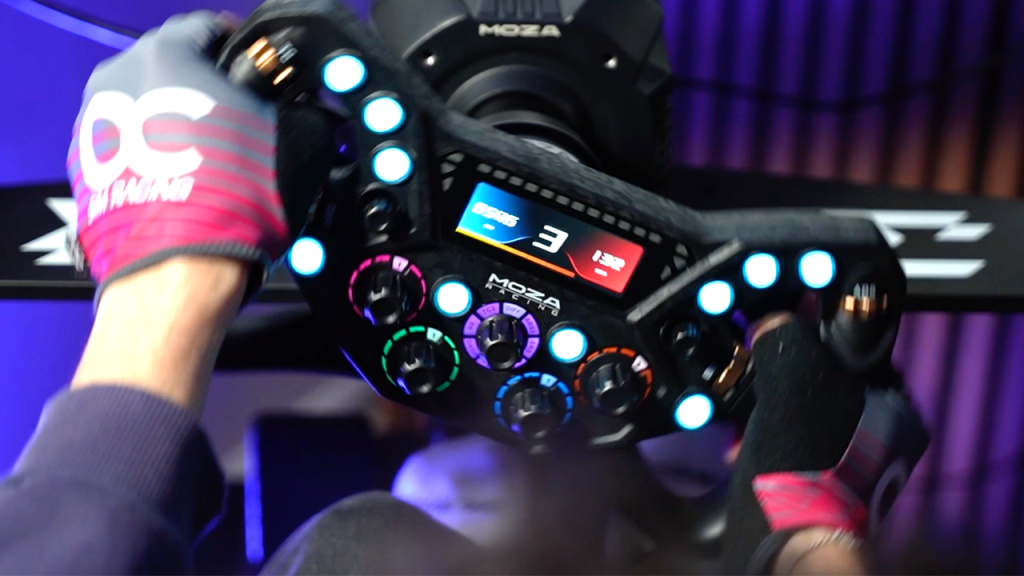
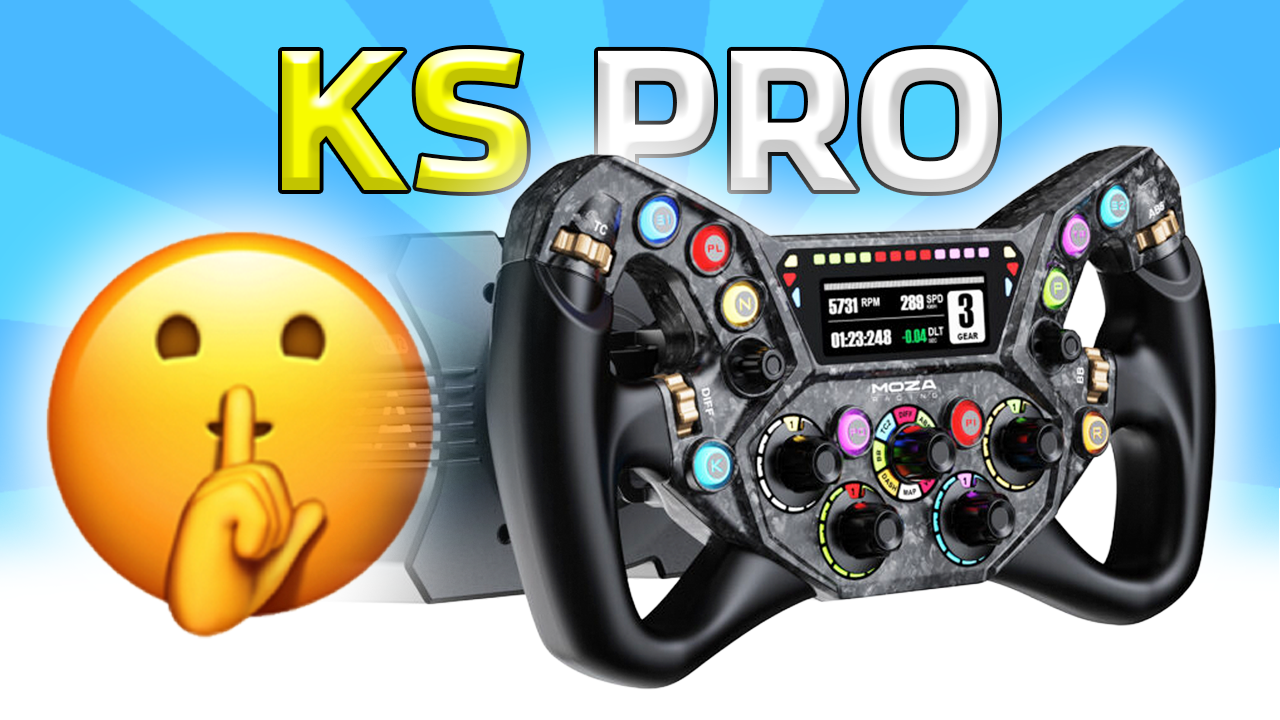
The first thing you notice in person is how much of this wheel is lit up. Yes, the buttons are backlit, but the more interesting part is that the lighting extends into places people do not expect, especially the rotary encoders. The encoders have their own lighting effects, and it gives the wheel a very “alive” look at night, even if you keep the brightness conservative.
More importantly, the lighting is actually functional once you set it up properly. On a lot of wheels, RGB exists just because it looks good in marketing shots. Here, you can create a layout where the inputs you touch most are obvious at a glance. That matters when you are in VR, racing in a dark room, or jumping between cars where you bind different controls every week.
It also makes the wheel feel newer than many competitors at this price, because it clearly leans into modern presentation. Whether you love that or hate it is personal, but the KS Pro is not pretending to be a minimal, motorsport-purist wheel. It is going for the modern sim racer aesthetic, and it commits.
2) The Two Rear Buttons Are a Bigger Deal Than They Sound
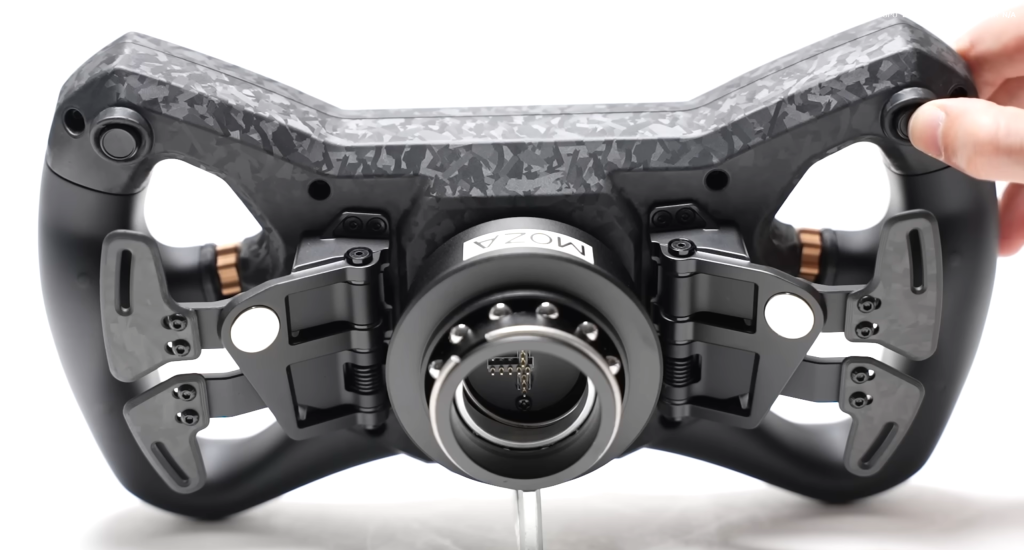
On paper, “two extra buttons on the back” sounds like a throwaway bullet point. In practice, it is one of the best small design choices on the KS Pro.
When your hands are actually gripping the wheel, those rear buttons sit in a position that is easy to reach without breaking your driving posture. That means you can bind things that you do not want on the face, but still want instantly accessible. Think look left and right, push-to-talk, pit limiter, reset VR view, flash headlights, or even quick menu navigation depending on the sim.
A lot of wheels give you tons of front-face controls, but then forget about what is easiest to hit under pressure. The rear buttons on the KS Pro feel like they were added by someone who actually uses a wheel like this for long sessions, not just for photos.
3) It Looks Like Forged Carbon, but It Is Not, and That Is the Point
The KS Pro has that forged carbon look that shows up on a lot of modern sim gear. From a distance, it reads as premium. Up close, the important detail is that it is not actually forged carbon fiber. The housing is made from a carbon-reinforced plastic material.
That sounds like a downgrade until you consider what it does for the wheel in the real world. It helps keep cost down, and it helps keep weight down. Weight matters more than people think. A wheel that looks premium but feels heavy and sluggish can end up dulling the feedback of your wheelbase, especially on lower torque bases.
The KS Pro avoids that mistake. It is still rigid enough to feel like a serious wheel in normal use, but it is not trying to be a museum piece. It is trying to be a high-feature wheel that normal people can actually buy and run daily without it feeling like a brick attached to their quick release.
4) The 3 Inch Screen Is Customizable, but Not Through SimHub
The built-in 3 inch digital screen is one of the headline features here, and it is genuinely cool. It is right in your line of sight, it adds to the “race car” feeling, and it is the type of feature that makes the wheel feel like a more complete cockpit control center instead of just a rim with buttons.
Here is the twist. You are not customizing it through SimHub, at least not in the way most sim racers would expect. Instead, Moza is using its own dash editing software for screen customization.
That is both impressive and slightly frustrating. It is impressive because Moza clearly went out of their way to build their own tool and make this screen feel like a core feature, not an afterthought. It is frustrating because SimHub is already the standard for a reason. Many of us already have dashboards, profiles, and workflows built around it.
The upside is that Moza’s approach can be streamlined once you are inside their ecosystem. The downside is that if you are used to SimHub being the universal “make anything work with anything” solution, this will feel like an extra step. Whether that is a deal breaker depends on how much you care about customizing every pixel versus just having a clean, functional dash that looks good.
5) It Can Work on Third Party Wheelbases, but There Is a Catch
This is one of the biggest talking points around the KS Pro, and also one of the easiest areas for people to misunderstand.
Yes, even though it is a Moza wheel, it can be used with third party wheelbases if you run it through the Moza Universal Hub Kit. That opens up the compatibility in a way that is genuinely useful, especially for people who like Moza’s wheel designs but are not locked into the Moza ecosystem for their base.
The catch is that it is not a magic “plug it into anything and forget about it” solution. The hub adds cost, it adds another layer of setup, and it can change the overall value proposition depending on what you already own. If you are already on a Moza base, this is irrelevant and you will just use the native quick release setup. If you are on a different ecosystem, the hub option is what makes the KS Pro even worth considering, but you should factor in the total cost and the practicality of your setup.
This is also where my full review article becomes the better reference, because compatibility setups can vary a lot depending on your base, quick release preferences, and how you like your cockpit wired. The short version is that it is possible, it is useful, but it is not free, and it is not as clean as staying inside one ecosystem.
Who the KS Pro Is Actually For
If you want a formula-style wheel that looks modern, has a proper built-in screen, and gives you a ton of inputs without forcing you into a $700-plus category, the KS Pro is clearly aimed at you. It is also for people who care about presentation. The lighting, the screen, the overall vibe of the wheel, it is designed to feel exciting every time you sit down.
If you want the simplest setup possible, or you hate anything that feels ecosystem-dependent, the KS Pro might not be your favorite. The proprietary screen customization and the third party compatibility workaround are both reminders that this wheel is at its best when you are willing to buy into how Moza wants you to use it.
For the full breakdown, including how the controls feel under pressure, how the wheel holds up during longer sessions, and whether the price makes sense compared to other popular options, check out my full KS Pro review article on the site. This post is the quick overview. The long one is where I get picky.
Final Thoughts
The Moza KS Pro is one of those releases that makes sense the moment you see it in person. It is feature-heavy, it looks great in a rig, and it adds a modern “race cockpit” feel without forcing you into a true high-end price bracket.
The most interesting part is that the best details are not the obvious ones. It is the rear buttons you actually end up using, the lighting that is more functional than expected, the sensible material choice that keeps weight and cost down, and the screen decision that shows Moza is trying to build its own software lane, for better or worse.
In the meantime, I want to hear it from you. Do you like the direction Moza is taking with built-in screens and proprietary dash tools, or would you rather they just lean into SimHub and keep things simple?
It is 2026, and despite how much the sim racing market has evolved, Thrustmaster and Logitech are still two of the most recognizable names in the space. Both brands continue…
It has been a full year since I first reviewed the Conspit Ares wheelbase. Since then, Conspit has grown noticeably in relevance within the sim racing hardware space, not just…
Moza just dropped the KS Pro, a $330 formula-style wheel that looks familiar at first glance, but has a few genuinely interesting details once you spend time with it. Here…
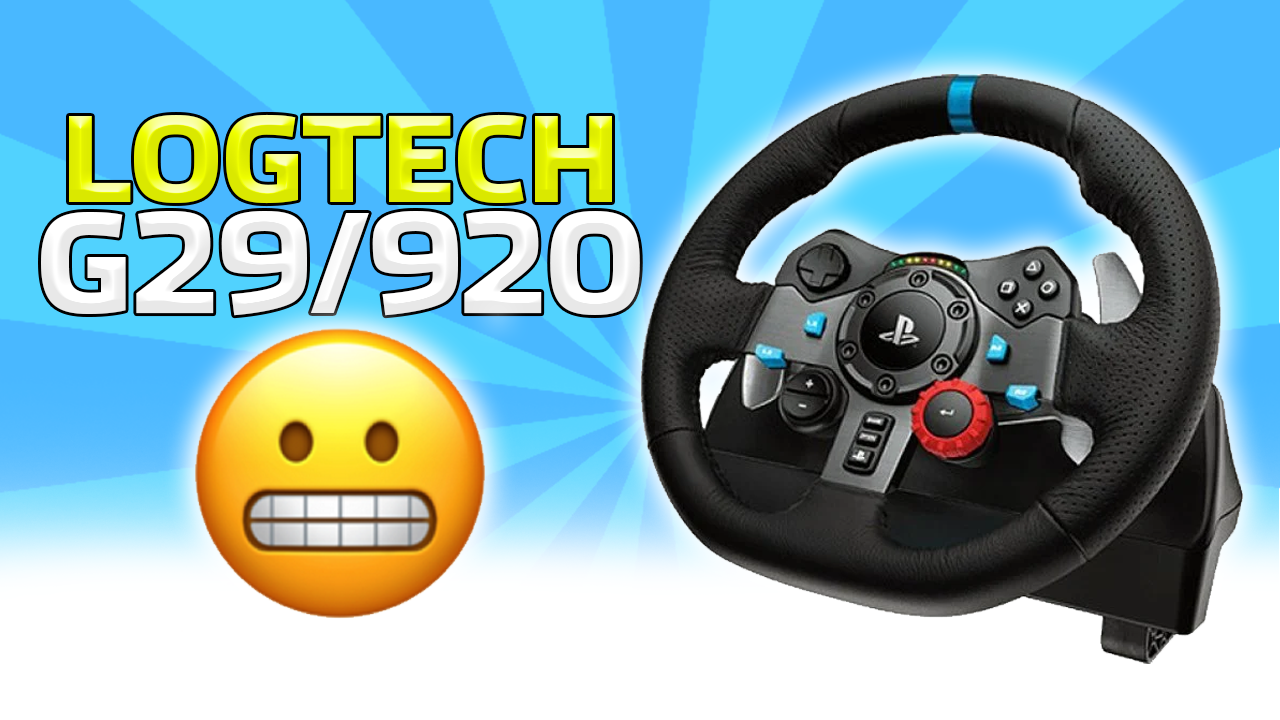
The Logitech G29 is still everywhere in 2026, but that does not mean it still deserves to be. Here is why buying one new today makes very little sense.
The Logitech G29 and G920 were once the go-to beginner wheels in sim racing, but in 2026 they face tough competition from affordable direct drive systems like the Moza R3.…
Is iRacing actually overpriced, or simply misunderstood? A realistic breakdown of its pricing model, long term value, and who it really makes sense for.
Race Sim Studio’s GT-M Macca 72 V8 Evo is a McLaren 720S GT3 Evo-inspired Assetto Corsa mod with top-tier visuals, excellent physics, and strong GT3 drivability. At around £4.19, it…
Fanatec’s long awaited Podium Wheel Base delivers massive torque, excellent force feedback clarity, and FullForce support, but its size, price, and limited feature compatibility raise important questions. Here is my…